Scan result export error

Hi there,
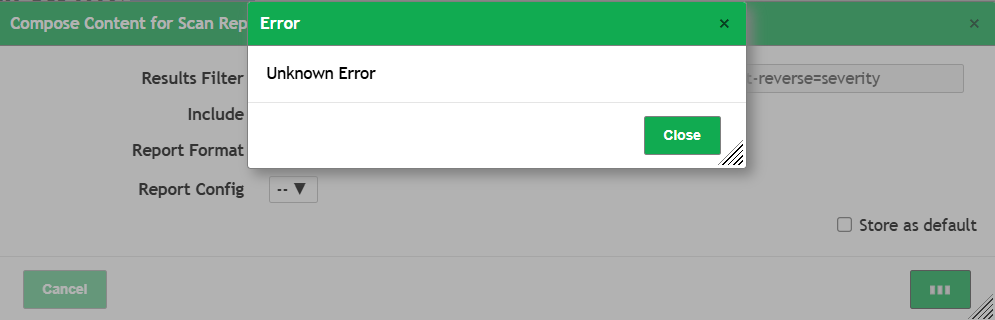
I’m using Greenbone several month and it’s impressed me, but yesterday has been done monthly scan, I tried to export results but getting “Unknown error” message window:

Earlier scan results i can finely export, have a issue on this one only, how can i investigate and fix it?

Thank you.

You need to check the browser console and the http request/response. You could also take a look a the gvmd logs if there is some error.

In logs nothing appears with error:

Browser console returns error yes, but nothing to resolve:
External Image

Thank you

@LittleDay Dont grep for specific error. Just tail -f *log and try to do thing on gui.

also make sure that you have new crome browser.

Eero

Please take a look to log after that i tried export:

same error on edge and firefox browser.

@LittleDay it says that software is crashing.make sure that you have more than 8G memory and enought fast disk space.

Eero

@LittleDay also update os/libraries to latest version.

Eero

@Eero
I increased RAM to 16, updated system and packages but still issue:

I executed another scan on one server and I can export result without any problem.
In my opinion main problem of this export is a big scan result, in this case error appears when trying to export 28762 record.

@LittleDay sounds like memory issue to me. try with 24G or 32G also add some swap space

Eero

I tired both, same error:

Are there are another way to crawl or extract this report data? from DB or etc..

@LittleDay well. try with gvm-cli or python tools.

Eero

I exported using gvm-cli but in xml structure, i can’t find out how can i export it to csv format

@LittleDay use chatgpl or copilot to write script

Absolutely! Here’s a complete Bash script that uses gvm-cli to export a report in CSV format, decodes it, and saves it to a file.


:white_check_mark: Full Bash Script: Export GVM Report as CSV

#!/bin/bash

# === Configuration ===
GVM_USER="your_username"
GVM_PASS="your_password"
REPORT_ID="your_report_id"
CSV_FORMAT_ID="c1645568-627a-11e3-a660-406186ea4fc5"
OUTPUT_FILE="report.csv"

# === XML Request ===
XML_REQUEST="<get_reports report_id='$REPORT_ID' format_id='$CSV_FORMAT_ID' details='1' ignore_pagination='1'/>"

# === Run gvm-cli and capture output ===
echo "Requesting report from GVM..."
RESPONSE=$(gvm-cli socket --gmp-username "$GVM_USER" --gmp-password "$GVM_PASS" --xml "$XML_REQUEST")

# === Extract base64 content from XML ===
BASE64_CONTENT=$(echo "$RESPONSE" | grep -oPm1 "(?<=<report format=\"${CSV_FORMAT_ID}\" content_type=\"text/csv\">)[^<]+")

if [ -z "$BASE64_CONTENT" ]; then
    echo "❌ Failed to extract report content. Check report ID and credentials."
    exit 1
fi

# === Decode and save to file ===
echo "$BASE64_CONTENT" | base64 --decode> "$OUTPUT_FILE"

echo "✅ Report saved to $OUTPUT_FILE"

:memo: Instructions

  1. Replace:

    • your_username with your GVM username
    • your_password with your GVM password
    • your_report_id with the actual report ID you want to export
  2. Make the script executable:

    chmod +x export_gvm_report.sh
    
  3. Run the script:

./export_gvm_report.sh


---

Would you like to add support for listing available reports or choosing the latest one automatically?


Eero

@LittleDay well. it works. usually need to fix quotation marks, if code is pasted from co pilot or similar.

also, if it’s kali linux then first advise to upgrade system to latest:

apt -y update ; apt -y upgrade.

as it looks like library bug.

Eero

Eero

@LittleDay Just wondering how many host your scan task contains?

Can you also try this script on debian 12 if it fixes the problem

Eero

No still don’t working, maybe GVM versions don’t match, my version:
gvm-check-setup -h
gvm-check-setup 23.11.0
Test completeness and readiness of GVM-23.11.0
Step 1: Checking OpenVAS (Scanner)…
OK: OpenVAS Scanner is present in version 23.13.1.
OK: Notus Scanner is present in version 22.6.4.

Above script which u provided doesn’t working, copilot didn’t helped with that as well, after some time I detected that need to move “socket” after credential inputs, from this:
1.
RESPONSE=$(gvm-cli socket --gmp-username “$GVM_USER” --gmp-password “$GVM_PASS” --xml “$XML_REQUEST”)

To this:
2.
RESPONSE=$(gvm-cli --gmp-username “$GVM_USER” --gmp-password “$GVM_PASS” socket --xml “$XML_REQUEST”)

In 1 scenario it returned next error:
gvm-cli: error: unrecognized arguments --gmp-username --gmp-password test
:cross_mark: Failed to extract report content. Check report ID and credentials.

In 2 scenario have another error:
sudo -u _gvm bash bash.sh
Requesting report from GVM…
ERROR:gvmtools.cli:[Errno 104] Connection reset by peer
:cross_mark: Failed to extract report content. Check your credentials and report ID.

Current time i using next script:

#!/bin/bash

=== Configuration ===

GVM_USER=“admin”
GVM_PASS=“test”
REPORT_ID=“40bcd1ce-9c50-4780-a62f-4cc2e3964ee6”
CSV_FORMAT_ID=“c1645568-627a-11e3-a660-406186ea4fc5” # CSV format
OUTPUT_FILE=“report.csv”

=== Build XML Request ===

XML_REQUEST=“<get_reports report_id="$REPORT_ID" format_id="$CSV_FORMAT_ID" details="1" ignore_pagination="1"/>”

=== Run gvm-cli and capture output ===

echo “:satellite_antenna: Requesting report from GVM…”
RESPONSE=$(gvm-cli --gmp-username “$GVM_USER” --gmp-password “$GVM_PASS” socket --xml “$XML_REQUEST”)

=== Extract base64 content from response ===

BASE64_CONTENT=$(echo “$RESPONSE” | sed -n “s/.<report format="$CSV_FORMAT_ID" content_type="text/csv">(.)</report>.*/\1/p”)

if [ -z “$BASE64_CONTENT” ]; then
echo “:cross_mark: Failed to extract report content. Check your credentials and report ID.”
exit 1
fi

=== Decode base64 and write to file ===

echo “$BASE64_CONTENT” | base64 --decode > “$OUTPUT_FILE”

echo “:white_check_mark: CSV report successfully saved to: $OUTPUT_FILE”

I have already updated and upgraded, but still executed it again.
About last Github link, it shouldn’t will overwrite to my scan results?

Regarding scan question, in target list are 577 IP’s and results are 4298 of 28762:
@LittleDay That github link does install on clean debian 12, so dont run it on your current system.

You scan task looks very big. it might be wise to split it to smaller scan ranges.

make sure that you gvm-cli is correct version number.

edit: your scan task is very huge. try to add 64G of physical ram and 32G of swap space and try export of report again?

Eero

My IT will be insane with that request. :smiley:
Previous month scan I had same target list, but port list was different “All IANA assigned TCP”,
It returned more than 24000 record, exported it without issue:

For the current month scan I used “All TCP and Nmap top 100 UDP” policy.

To return to the solution thing, at least i can split target list as you recommend me, that is a last solution if another one can’t be realised, can I export this problematic report with cli?

Is that correct version?
sudo -u _gvm gvm-cli -V
gvm-cli 24.8.0 (API version 24.8.0)

@LittleDay I still think that this is out of memory issue.

what command dmesg on root says after trying to export data?

Eero

@Eero nothing in dmesg regarding either RAM or warning text
