Hi! From time to time I am facing a problem like this:
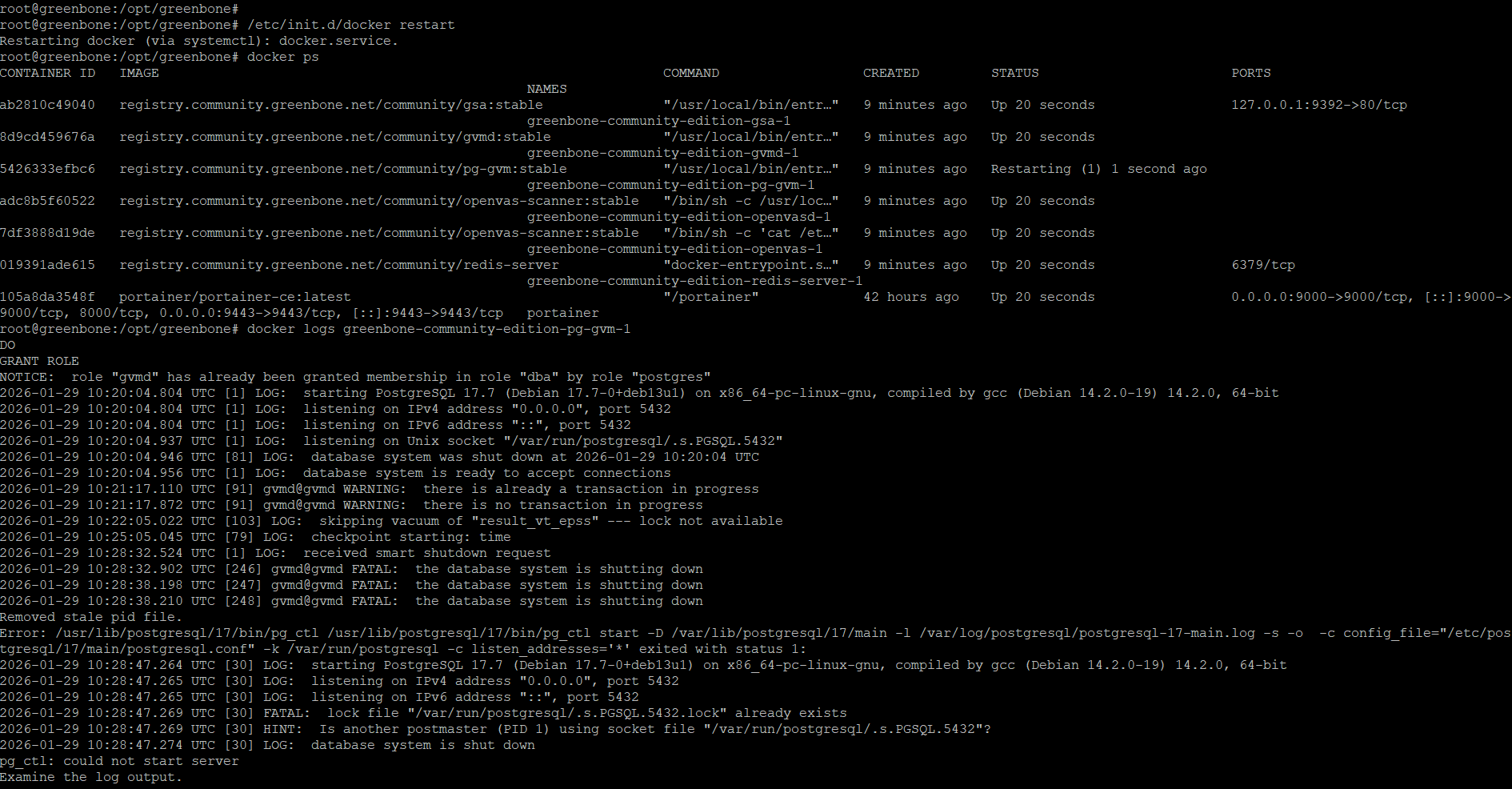
pg-gvm-1 | 2026-01-27 01:32:00.527 UTC [1] LOG: received smart shutdown request pg-gvm-1 | 2026-01-27 01:32:01.727 UTC [178231] gvmd@gvmd FATAL: the database system is shutting down pg-gvm-1 | 2026-01-27 01:32:01.729 UTC [178232] gvmd@gvmd FATAL: the database system is shutting down pg-gvm-1 | 2026-01-27 01:32:06.737 UTC [178233] gvmd@gvmd FATAL: the database system is shutting down pg-gvm-1 | Removed stale pid file. pg-gvm-1 | Error: /usr/lib/postgresql/17/bin/pg_ctl /usr/lib/postgresql/17/bin/pg_ctl start -D /var/lib/postgresql/17/main -l /var/log/postgresql/postgresql-17-main.log -s -o -c config_file=“/etc/postgresql/17/main/postgresql.conf” -k /var/run/postgresql -c listen_addresses=‘’ exited with status 1: pg-gvm-1 | 2026-01-27 01:32:20.135 UTC [29] LOG: starting PostgreSQL 17.7 (Debian 17.7-0+deb13u1) on x86_64-pc-linux-gnu, compiled by gcc (Debian 14.2.0-19) 14.2.0, 64-bit pg-gvm-1 | 2026-01-27 01:32:20.138 UTC [29] LOG: listening on IPv4 address “0.0.0.0”, port 5432 pg-gvm-1 | 2026-01-27 01:32:20.138 UTC [29] LOG: listening on IPv6 address “::”, port 5432 pg-gvm-1 | 2026-01-27 01:32:20.187 UTC [29] FATAL: lock file “/var/run/postgresql/.s.PGSQL.5432.lock” already exists pg-gvm-1 | 2026-01-27 01:32:20.187 UTC [29] HINT: Is another postmaster (PID 1) using socket file “/var/run/postgresql/.s.PGSQL.5432”? pg-gvm-1 | 2026-01-27 01:32:20.189 UTC [29] LOG: database system is shut down pg-gvm-1 | pg_ctl: could not start server pg-gvm-1 | Examine the log output. pg-gvm-1 | Error: /usr/lib/postgresql/17/bin/pg_ctl /usr/lib/postgresql/17/bin/pg_ctl start -D /var/lib/postgresql/17/main -l /var/log/postgresql/postgresql-17-main.log -s -o -c config_file=“/etc/postgresql/17/main/postgresql.conf” -k /var/run/postgresql -c listen_addresses='’ exited with status 1: pg-gvm-1 | 2026-01-27 01:32:21.205 UTC [29] LOG: starting PostgreSQL 17.7 (Debian 17.7-0+deb13u1) on x86_64-pc-linux-gnu, compiled by gcc (Debian 14.2.0-19) 14.2.0, 64-bit pg-gvm-1 | 2026-01-27 01:32:21.205 UTC [29] LOG: listening on IPv4 address “0.0.0.0”, port 5432 pg-gvm-1 | 2026-01-27 01:32:21.206 UTC [29] LOG: listening on IPv6 address “::”, port 5432 pg-gvm-1 | 2026-01-27 01:32:21.237 UTC [29] FATAL: lock file “/var/run/postgresql/.s.PGSQL.5432.lock” already exists pg-gvm-1 | 2026-01-27 01:32:21.237 UTC [29] HINT: Is another postmaster (PID 1) using socket file “/var/run/postgresql/.s.PGSQL.5432”? pg-gvm-1 | 2026-01-27 01:32:21.239 UTC [29] LOG: database system is shut down pg-gvm-1 | pg_ctl: could not start server pg-gvm-1 | Examine the log output.
…
There were no scans, updates, or any other changes at this time.
P.S. I’d like to describe the problem in as much detail as possible, but that’s really all I have right now.
The same issue after the server rebooted on Ubuntu 25.04 clear fresh install of greenbone
docker logs greenbone-community-edition-pg-gvm-1
Error: /usr/lib/postgresql/17/bin/pg_ctl /usr/lib/postgresql/17/bin/pg_ctl start -D /var/lib/postgresql/17/main -l /var/log/postgresql/postgresql-17-main.log -s -o -c config_file=“/etc/postgresql/17/main/postgresql.conf” -k /var/run/postgresql -c listen_addresses=‘*’ exited with status 1:
2026-01-28 16:22:50.974 UTC [30] LOG: starting PostgreSQL 17.7 (Debian 17.7-0+deb13u1) on x86_64-pc-linux-gnu, compiled by gcc (Debian 14.2.0-19) 14.2.0, 64-bit
2026-01-28 16:22:50.974 UTC [30] LOG: listening on IPv4 address “0.0.0.0”, port 5432
2026-01-28 16:22:50.974 UTC [30] LOG: listening on IPv6 address “::”, port 5432
2026-01-28 16:22:50.976 UTC [30] FATAL: lock file “/var/run/postgresql/.s.PGSQL.5432.lock” already exists
2026-01-28 16:22:50.976 UTC [30] HINT: Is another postmaster (PID 1) using socket file “/var/run/postgresql/.s.PGSQL.5432”?
2026-01-28 16:22:50.981 UTC [30] LOG: database system is shut down
pg_ctl: could not start server
Examine the log output.
Perhaps you have an old psql_socket_vol (with a different prefix in the name) among docker volumes (docker volume ls). I deleted them all, and then I raised the containers again (docker compose down, docker volume rm psql_socket_vol, docker compose up -d) everything still seems to be working without errors.
P.S. If the error suddenly appears again, I will write here.
I don’t have a clue what’s happening on a reboot differently form a container restart. Somebody from the community needs to do some investigation. Maybe the containers are not shut down correctly and postgres can’t remove the lock?
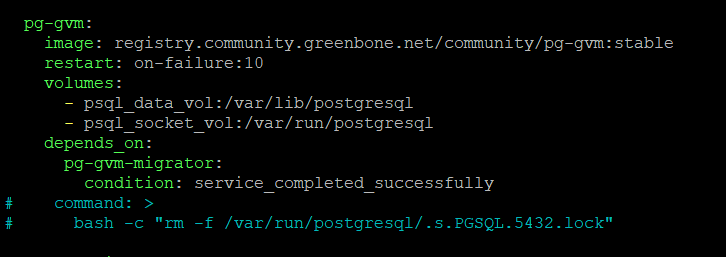
Until that there is a workaround by removing the pg docker volume.
Sure. docker-compose down and then delete posgresql-socket volume, run docker-compose up -d. It starts, but, againe after restart docker or reboot the server got the same issue.
If you have a high demand for a fix, please investigate the issue and let me know about the error cause. In that case I can fix it. Currently investigation of this issue is not on my prio list.
I’ve just had this problem come back on its own. I think you should still consider it serious enough to fix it soon)
As I wrote earlier, there is no additional information other than the logs I provided. The containers have also not been rebooted since the last time I resorted to your temporary solution and reported the completion of the problem.
I need to know why the postgres lock file is not removed automatically and what we are doing wrong. That needs some investigation. I am not able to spend time on this at the moment.
Do the same and got the same error Error: /usr/lib/postgresql/17/bin/pg_ctl /usr/lib/postgresql/17/bin/pg_ctl start -D /var/lib/postgresql/17/main -l /var/log/postgresql/postgresql-17-main.log -s -o -c config_file=“/etc/postgresql/17/main/postgresql.conf” -k /var/run/postgresql -c listen_addresses=‘*’ exited with status 1:
2026-02-03 09:15:19.346 UTC [29] LOG: starting PostgreSQL 17.7 (Debian 17.7-0+deb13u1) on x86_64-pc-linux-gnu, compiled by gcc (Debian 14.2.0-19) 14.2.0, 64-bit
2026-02-03 09:15:19.347 UTC [29] LOG: listening on IPv4 address “0.0.0.0”, port 5432
2026-02-03 09:15:19.347 UTC [29] LOG: listening on IPv6 address “::”, port 5432
2026-02-03 09:15:19.349 UTC [29] FATAL: lock file “/var/run/postgresql/.s.PGSQL.5432.lock” already exists
2026-02-03 09:15:19.349 UTC [29] HINT: Is another postmaster (PID 1) using socket file “/var/run/postgresql/.s.PGSQL.5432”?
2026-02-03 09:15:19.354 UTC [29] LOG: database system is shut down
Looks life socket doesn’t normally deleted after container with posgres stops/restarts