SCAP sync stuck 21+ hours at “Updating CVSS scores and CVE counts for CPEs”, normal or is something wrong?
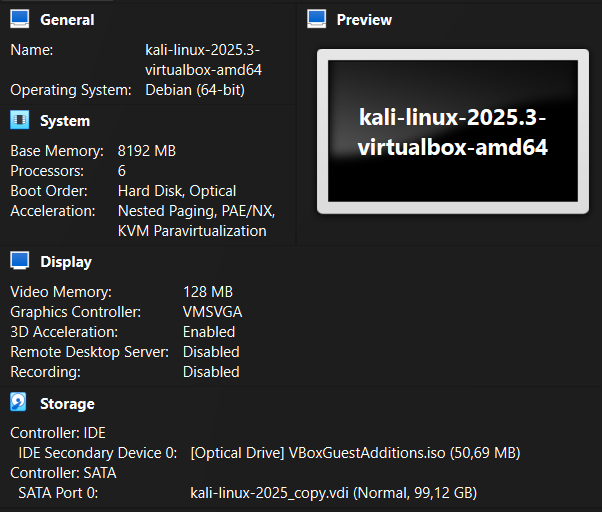
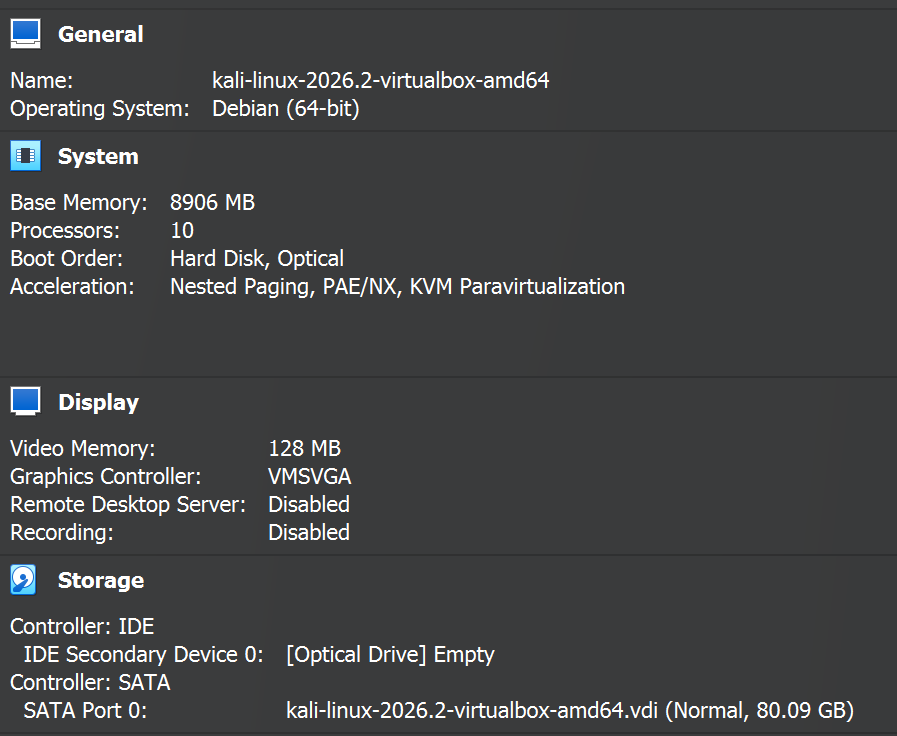
Setup: Greenbone Community Edition via Kali Linux packages, gvmd 26.24.0 (DB revision 273), PostgreSQL 18, 2 vCPU / 6GB RAM VM (VirtualBox, host-only network lab).
This is a fresh/initial SCAP sync (no prior scap schema). One earlier attempt crashed with Received Aborted signal shortly after starting CPE match strings, but the current run (started 2026-07-16 02:37 UTC) has progressed cleanly through every stage. Full gvmd.log below:
md   main:MESSAGE:2026-07-15 09h41.06 utc:2161:    Greenbone Vulnerability Manager version 26.24.0 (DB revision 273)
md manage:MESSAGE:2026-07-15 09h41.06 utc:2163: No SCAP database found
md   main:   INFO:2026-07-15 09h41.23 utc:2163: gvmd is ready to accept GMP connections
md manage:WARNING:2026-07-15 09h41.23 utc:2231: update_scap: No SCAP db present, rebuilding SCAP db from scratch
md manage:   INFO:2026-07-15 09h41.23 utc:2229: osp_scanner_feed_version: No feed version available yet. OSPd OpenVAS is still starting
md manage:   INFO:2026-07-15 09h41.23 utc:2228: manage_discovery_nvts: Updating Discovery NVTs
md manage:   INFO:2026-07-15 09h41.24 utc:2228: manage_discovery_nvts: Updating Discovery NVTs done
md manage:   INFO:2026-07-15 09h41.24 utc:2231: update_scap: Updating data from feed
md manage:   INFO:2026-07-15 09h41.24 utc:2231: Updating CPEs
md manage:   INFO:2026-07-15 09h41.24 utc:2231: Updating /var/lib/gvm/scap-data/nvd-cpes.json.gz
md manage:   INFO:2026-07-15 09h43.43 utc:2231: Updating CPE refs...
md manage:   INFO:2026-07-15 09h44.00 utc:2231: Updating CPE match strings from /var/lib/gvm/scap-data/nvd-cpe-matches.json.gz
md   main:MESSAGE:2026-07-15 09h44.43 utc:2535: BACKTRACE: gvmd: Serving (+0x140e99) [0x560fcaf37e99]
md   main:MESSAGE:2026-07-15 09h44.43 utc:2535: BACKTRACE: /usr/lib/x86_64-linux-gnu/libc.so.6(+0x40e30) [0x7fc1876ede30]
md   main:MESSAGE:2026-07-15 09h44.43 utc:2535: BACKTRACE: /usr/lib/x86_64-linux-gnu/libc.so.6(+0x97cfc) [0x7fc187744cfc]
md   main:MESSAGE:2026-07-15 09h44.43 utc:2535: BACKTRACE: /usr/lib/x86_64-linux-gnu/libc.so.6(gsignal+0x12) [0x7fc1876edd02]
md   main:MESSAGE:2026-07-15 09h44.43 utc:2535: BACKTRACE: /usr/lib/x86_64-linux-gnu/libc.so.6(abort+0x24) [0x7fc1876d54b2]
md   main:MESSAGE:2026-07-15 09h44.43 utc:2535: BACKTRACE: gvmd: Serving (+0x14b851) [0x560fcaf42851]
md   main:MESSAGE:2026-07-15 09h44.43 utc:2535: BACKTRACE: gvmd: Serving (+0xc99ee) [0x560fcaec09ee]
md   main:MESSAGE:2026-07-15 09h44.43 utc:2535: BACKTRACE: gvmd: Serving (+0xd16ad) [0x560fcaec86ad]
md   main:MESSAGE:2026-07-15 09h44.43 utc:2535: BACKTRACE: gvmd: Serving (+0x93e8d) [0x560fcae8ae8d]
md   main:MESSAGE:2026-07-15 09h44.43 utc:2535: BACKTRACE: gvmd: Serving (+0x1459b5) [0x560fcaf3c9b5]
md   main:MESSAGE:2026-07-15 09h44.43 utc:2535: BACKTRACE: gvmd: Serving (+0x140a11) [0x560fcaf37a11]
md   main:MESSAGE:2026-07-15 09h44.43 utc:2535: BACKTRACE: gvmd: Serving (+0x1410cf) [0x560fcaf380cf]
md   main:MESSAGE:2026-07-15 09h44.43 utc:2535: BACKTRACE: gvmd: Serving (+0x144abe) [0x560fcaf3babe]
md   main:MESSAGE:2026-07-15 09h44.43 utc:2535: BACKTRACE: /usr/lib/x86_64-linux-gnu/libc.so.6(+0x29f77) [0x7fc1876d6f77]
md   main:MESSAGE:2026-07-15 09h44.43 utc:2535: BACKTRACE: /usr/lib/x86_64-linux-gnu/libc.so.6(__libc_start_main+0x87) [0x7fc1876d7027]
md   main:MESSAGE:2026-07-15 09h44.43 utc:2535: BACKTRACE: gvmd: Serving (+0x59a51) [0x560fcae50a51]
md manage:MESSAGE:2026-07-15 09h44.43 utc:2535: Received Aborted signal
md   main:MESSAGE:2026-07-15 09h47.13 utc:2681:    Greenbone Vulnerability Manager version 26.24.0 (DB revision 273)
md manage:   INFO:2026-07-15 09h47.13 utc:2681:    Getting scanners.
md manage:MESSAGE:2026-07-15 09h47.13 utc:2681: No SCAP database found
md   main:MESSAGE:2026-07-16 02h37.48 utc:2179:    Greenbone Vulnerability Manager version 26.24.0 (DB revision 273)
md manage:MESSAGE:2026-07-16 02h37.48 utc:2181: No SCAP database found
md   main:   INFO:2026-07-16 02h38.15 utc:2181: gvmd is ready to accept GMP connections
md manage:WARNING:2026-07-16 02h38.15 utc:2219: update_scap: No SCAP db present, rebuilding SCAP db from scratch
md manage:   INFO:2026-07-16 02h38.15 utc:2220: osp_scanner_feed_version: No feed version available yet. OSPd OpenVAS is still starting
md manage:   INFO:2026-07-16 02h38.16 utc:2218: manage_discovery_nvts: Updating Discovery NVTs
md manage:   INFO:2026-07-16 02h38.16 utc:2219: update_scap: Updating data from feed
md manage:   INFO:2026-07-16 02h38.16 utc:2219: Updating CPEs
md manage:   INFO:2026-07-16 02h38.16 utc:2219: Updating /var/lib/gvm/scap-data/nvd-cpes.json.gz
md manage:   INFO:2026-07-16 02h38.20 utc:2218: manage_discovery_nvts: Updating Discovery NVTs done
md manage:   INFO:2026-07-16 02h41.48 utc:2219: Updating CPE refs...
md manage:   INFO:2026-07-16 02h42.24 utc:2219: Updating CPE match strings from /var/lib/gvm/scap-data/nvd-cpe-matches.json.gz
md manage:   INFO:2026-07-16 03h02.18 utc:2219: Updating CVEs
md manage:   INFO:2026-07-16 03h02.19 utc:2219: Updating /var/lib/gvm/scap-data/nvdcve-2.0-2009.json.gz
md manage:   INFO:2026-07-16 03h15.22 utc:2219: Updating /var/lib/gvm/scap-data/nvdcve-2.0-2019.json.gz
md manage:   INFO:2026-07-16 03h22.25 utc:2219: Updating /var/lib/gvm/scap-data/nvdcve-2.0-2021.json.gz
md manage:   INFO:2026-07-16 03h31.36 utc:2219: Updating /var/lib/gvm/scap-data/nvdcve-2.0-2005.json.gz
md manage:   INFO:2026-07-16 03h32.52 utc:2219: Updating /var/lib/gvm/scap-data/nvdcve-2.0-2017.json.gz
md manage:   INFO:2026-07-16 03h37.27 utc:2219: Updating /var/lib/gvm/scap-data/nvdcve-2.0-2013.json.gz
md manage:   INFO:2026-07-16 03h41.53 utc:2219: Updating /var/lib/gvm/scap-data/nvdcve-2.0-2015.json.gz
md manage:   INFO:2026-07-16 03h45.09 utc:2219: Updating /var/lib/gvm/scap-data/nvdcve-2.0-1999.json.gz
md manage:   INFO:2026-07-16 03h45.29 utc:2219: Updating /var/lib/gvm/scap-data/nvdcve-2.0-2026.json.gz
md manage:   INFO:2026-07-16 03h58.46 utc:2219: Updating /var/lib/gvm/scap-data/nvdcve-2.0-2004.json.gz
md manage:   INFO:2026-07-16 03h59.38 utc:2219: Updating /var/lib/gvm/scap-data/nvdcve-2.0-2003.json.gz
md manage:   INFO:2026-07-16 04h00.08 utc:2219: Updating /var/lib/gvm/scap-data/nvdcve-2.0-2022.json.gz
md manage:   INFO:2026-07-16 04h13.50 utc:2219: Updating /var/lib/gvm/scap-data/nvdcve-2.0-2016.json.gz
md manage:   INFO:2026-07-16 04h18.56 utc:2219: Updating /var/lib/gvm/scap-data/nvdcve-2.0-2006.json.gz
md manage:   INFO:2026-07-16 04h20.43 utc:2219: Updating /var/lib/gvm/scap-data/nvdcve-2.0-2007.json.gz
md manage:   INFO:2026-07-16 04h22.09 utc:2219: Updating /var/lib/gvm/scap-data/nvdcve-2.0-2024.json.gz
md manage:   INFO:2026-07-16 04h37.17 utc:2219: Updating /var/lib/gvm/scap-data/nvdcve-2.0-2014.json.gz
md manage:   INFO:2026-07-16 04h41.03 utc:2219: Updating /var/lib/gvm/scap-data/nvdcve-2.0-2002.json.gz
md manage:   INFO:2026-07-16 04h41.43 utc:2219: Updating /var/lib/gvm/scap-data/nvdcve-2.0-2008.json.gz
md manage:   INFO:2026-07-16 04h43.43 utc:2219: Updating /var/lib/gvm/scap-data/nvdcve-2.0-2023.json.gz
md manage:   INFO:2026-07-16 04h54.51 utc:2219: Updating /var/lib/gvm/scap-data/nvdcve-2.0-2025.json.gz
md manage:   INFO:2026-07-16 05h06.33 utc:2219: Updating /var/lib/gvm/scap-data/nvdcve-2.0-2001.json.gz
md manage:   INFO:2026-07-16 05h07.08 utc:2219: Updating /var/lib/gvm/scap-data/nvdcve-2.0-2000.json.gz
md manage:   INFO:2026-07-16 05h07.29 utc:2219: Updating /var/lib/gvm/scap-data/nvdcve-2.0-2011.json.gz
md manage:   INFO:2026-07-16 05h11.31 utc:2219: Updating /var/lib/gvm/scap-data/nvdcve-2.0-2012.json.gz
md manage:   INFO:2026-07-16 05h16.22 utc:2219: Updating /var/lib/gvm/scap-data/nvdcve-2.0-2018.json.gz
md manage:   INFO:2026-07-16 05h20.57 utc:2219: Updating /var/lib/gvm/scap-data/nvdcve-2.0-2010.json.gz
md manage:   INFO:2026-07-16 05h24.29 utc:2219: Updating /var/lib/gvm/scap-data/nvdcve-2.0-2020.json.gz
md manage:   INFO:2026-07-16 05h31.49 utc:2219: update_epss_scores: EPSS scores file '/var/lib/gvm/scap-data/epss-scores-current.json' not found
md manage:   INFO:2026-07-16 05h31.49 utc:2219: Updating CVSS scores and CVE counts for CPEs
It’s been sitting on that last step for 21+ hours with no further log output. Confirmed via pg_stat_activity it’s genuinely active, not lock-blocked:
pid  | state  | wait_event_type | wait_event   | duration
2221 | active | IO               | DataFileRead | 21:10:20
query: UPDATE scap2.cpes SET (severity, cve_refs) = (WITH affected_cves AS (SELECT cve FROM ...
scap2.cpes has ~1.77M rows. Also confirmed the process survives a VirtualBox “save machine state” suspend/resume with the same PID and continuous query duration — so it’s real ongoing work, not a restart loop.
iostat -x 1 5 on the disk during this step:
Device  r/s    rkB/s   w/s   wkB/s   w_await  %util
sda    503.31  8090.53 73.77 4278.03  4.90    60.40
Questions:
- Is 20+ hours normal for this specific step on modest 2-CPU hardware, or does it usually complete much faster and this points to a real problem?
- Any way to see finer-grained progress inside this single UPDATE (it doesn’t log per-batch like the yearly CVE files did)?
- Are there known alternatives (e.g. skipping/deferring this step, tuning
work_mem/indexes, or a way to build SCAP data faster for lab use) that wouldn’t compromise correctness for a lab environment?
Hope i get the answer. Thanks!