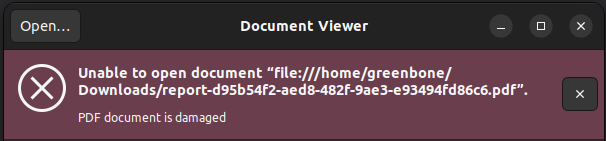
I recently noticed that exported PDF reports from web app are corrupted (not opening). I’m able to export the reports using the export-pdf-report.gmp.py script. Same behavior on 2 different OpenVAS installations, both are deployed as community containers.
Any ideas what to check to investigate this further?
Off the top of my head, you can view the logs output from the containers to see if there is any error message. See the troubleshooting guide for viewing container logs.
If you don’t see any errors, you could provide your environment details such as system OS, version, install method, allocated RAM, etc.
In the case of @Mensh, I would say that while those errors are somewhat unrelated to the PDF reports themselves, they indicate that the feed is not completely synced or corrupted. The PDF / other report generators are also part of the feed as well, so I would guess they are also corrupted.
In the case of @JasaC I cannot really guess since you haven’t provided any logs.
Hi, im not using a Container version, but a source installed version. I got the same issue since the last update. I got 2 separate installation on 2 differnet server (Ubuntu and Debian), PDF Report creation and download were working until the last update. This are the version i have OPENVAS_SCANNER_VERSION=23.31.0
GSA_VERSION=26.3.0
GVM_LIBS_VERSION=22.31.0
GSAD_VERSION=24.8.0
OPENVAS_SMB_VERSION=22.5.10
PG_GVM_VERSION=22.6.11
GVMD_VERSION=26.7.0
OSPD_OPENVAS_VERSION=22.9.0
OPENVAS_DAEMON=23.31.0
Could you guys @zeno@JasaC please check if you have this error in openvasd container logs? openvasd::vts::orchestrator: Unable to check feed error=Unable to calculate hash: Unable to load file: sha256sums not found
I Have this error in 3 different installations
@Mensh I am seeing this error hourly, not as a result of user action. Examples:
2025-11-07T13:53:09.948722Z  WARN openvasd::vts::orchestrator: Unable to check feed error=Unable to calculate hash: Unable to load file: sha256sums not found.
2025-11-07T14:53:09.949877Z  WARN openvasd::vts::orchestrator: Unable to check feed error=Unable to calculate hash: Unable to load file: sha256sums not found.
I am open to starting the software stack with more verbose logging but I need some guidance what environment variables to set for this, probably in the docker-compose.yml file.
Here are my comparisons of a 1 month old, good PDF report, against a corrupted re-exported report for the same scan:
File size comparison
ls -hola
...
205K  report-4a3a028a-a1fd-4894-97e1-16db6c6ea0b2.pdf
347K  report-4a3a028a-a1fd-4894-97e1-16db6c6ea0b2(1).pdf
I have it in all 3 installations. I wasn’t looking there before to be honest, so I don’t know if this is something new and somehow related to the issue with the PDF reports or not. Hopefully @rippledj could fill us in.
I’ll take a look at this issue using the latest docker-compose.yml. However, for Zeno:
All I can say about this now is that these are not the versions specified on the source code build documentation. If you are using versions outside of those specified, you are on your own to troubleshoot errors that occur. I currently do not have time to troubleshoot this.
I can now also confirm that the PDF files are corrupted at least in the Docker Containers and I’ll pass this information along to the development team, thanks for posting this issue.
I can see that and that’s great, thanks for contributing to the development and testing process. I don’t think those versions are related to the problem anyway. I’m just setting the expectations since I see your account was just created 3 days ago.
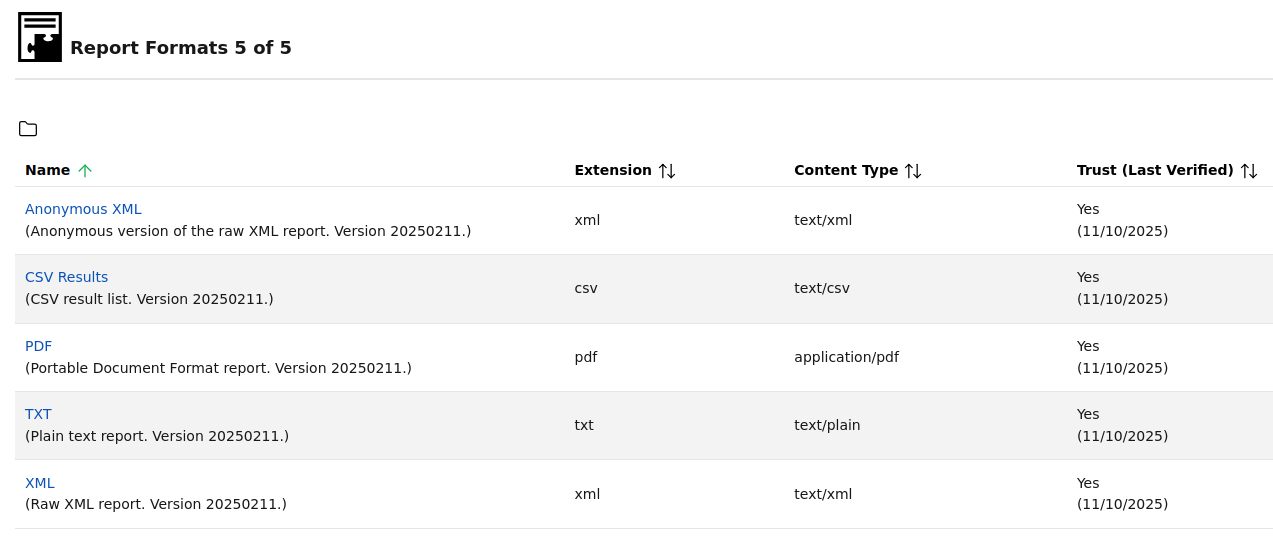
I see that the PDF report format is not a new one, it has not changed since 2025-02-11. So, I also don’t think it’s related to a change in the report format. The only dependency is pdflatex and if it wasn’t installed I would expect a different error than a PDF file - with content - that doesn’t open. .
If an issue is showing up after an update it is usually the best to contact the development team(s) over at Greenbone · GitHub directly rather then the community (latter could be still used if a first confirmation of the issue by another community member is desired).
So, I think the answer here is to turn on debug level logging. You should see the exact command executed for the run_report_format_script() function and potentially any error output from the execution of the command itself. I have not looked through recent commits to see if anything changed in gvmd recently.
I turned on debug logs on gvmd “md main” and “md manage” , i colud be wrong but i cant see anywhere something related with “run_report_format_script” , i have a tail -f on the log and when i try to generate the pdf reports i have other informations.
Otherwise, for debugging output, you can see in the source code that the command will be output here when debug is enabled. Furthermore, when the command is executed, any error status should also append an error message to the log - however without the full output from the command. Perhaps there is no error being generated, but the command should be in the logs allowing you to execute it directly with a report XML as input.


 . I got another installation on another PC that i havent updated yet and it was working,