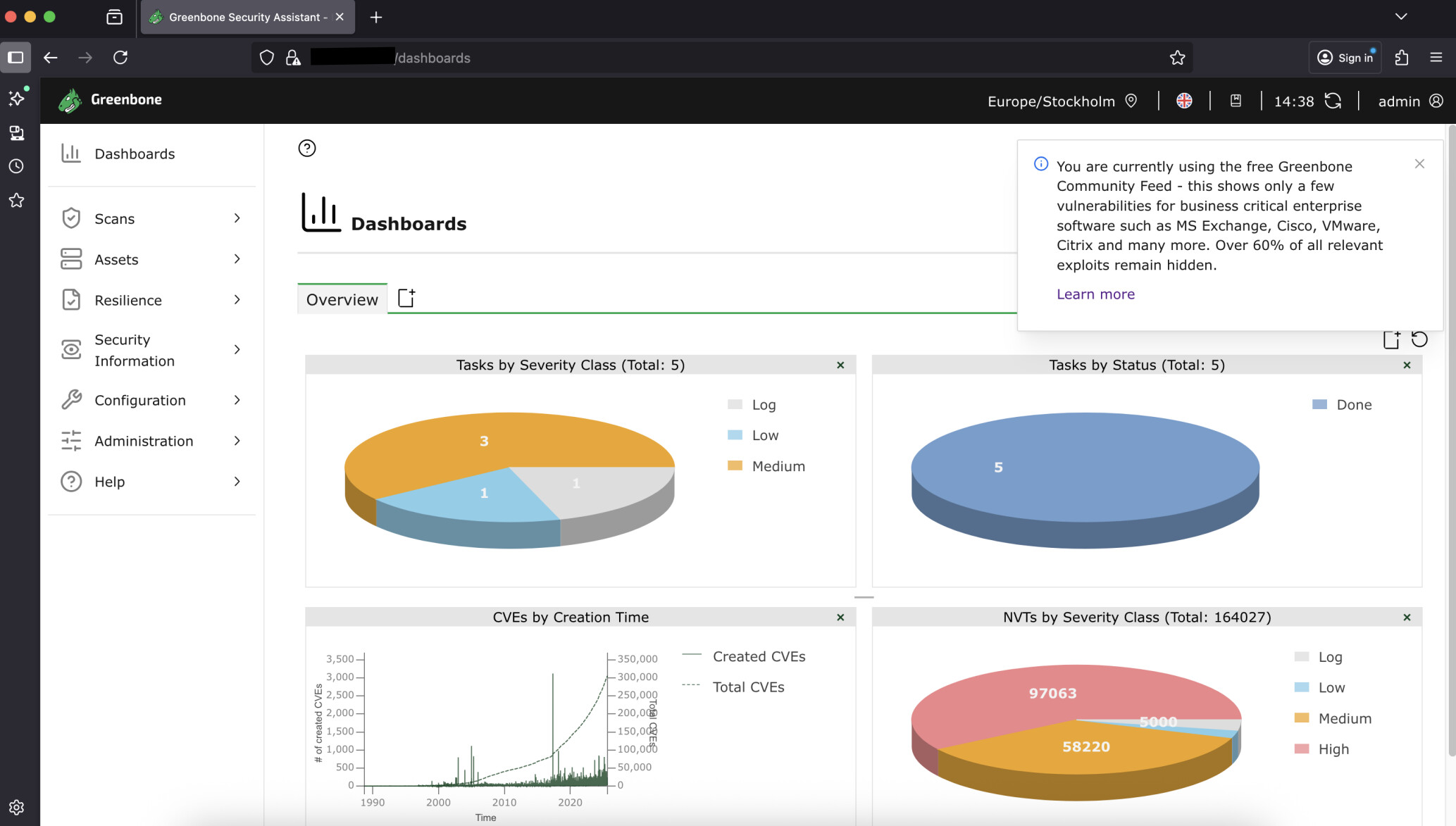
I’ve been using Greenbone source/community edition for years now. Either on Kali or just on a stand alone Ubuntu. Since a little while back, there is now an annoying spam-like popup every time I login to the web gui, nagging me about buying enterprise license. I’ve been looking around trying to confirm and permanently close this, but nope.
Has anyone found a way to remove this nagware-like popup?
Not only is the popup annoying nagware, it is also incorrect and trying to scare you into buying using FOMO (Fear of missing out). The paid enterprise feed does NOT have 60% more vulnerabilities (I’ve checked and compared).
Thank you @xaero and @Eero , it should not be doing this (it should only show up one time post-install, not each time it’s run) and I have submitted an internal request for a bugfix.
Eero, sorry for late reply. We had 2 very busy days! I did not use your script, so I did not get to test it, but I did what you did and grepped files and just nerfed it manually. I do want to thank you for your effort!
As mentioned before, I nerfed the spam-nag-popup manually. Today I updated my Greenbone on Kali, and the spam-nag is back. And it’s there every time I login. I understand you guys want to sell your premium feed, but this is ridiculous. The info in the spam-popup isn’t even true. It’s shady FOMO marketing.
I know this is frustrating. It should be fixed with the next community version release, at least to only appear one time after install and then not come back (edit- once per used browser). I will also ask about the message on it. It will take some time from our release to propagate to different distributions so it will still be around for a bit. But again, I do understand this is annoying.
Once per used browser. There is now also a setting gmp.settings.enableCommunityFeedNotification – which allows the notification to be disabled. This is good
To someone working in IT security, all vulnerabilities are relevant, which means the message reads that the enterprise feed has 60% more exploits, which is false and very questionable FOMO marketing.
I guess there the misunderstanding could originating from then:
For example a vulnerability which is from 1999 for a 3rd party product which can be only installed on Windows NT 4.0 is not relevant anymore these days.
But i guess there is no point in continuing this discussion about the message here as the responsible team / person who had created this message is unlikely reading or commenting on this discussion (as very very unlikely active here) and it seems it can also interpreted in multiple different ways.