Hello, all:
I have downloaded the .ova files (ver 24.10.3) for both VirtualBox and VMWare and installed the appliances in their respective apps in Windows 11.
I do get an IP address assigned and I checked that the web interface comes up at that address.
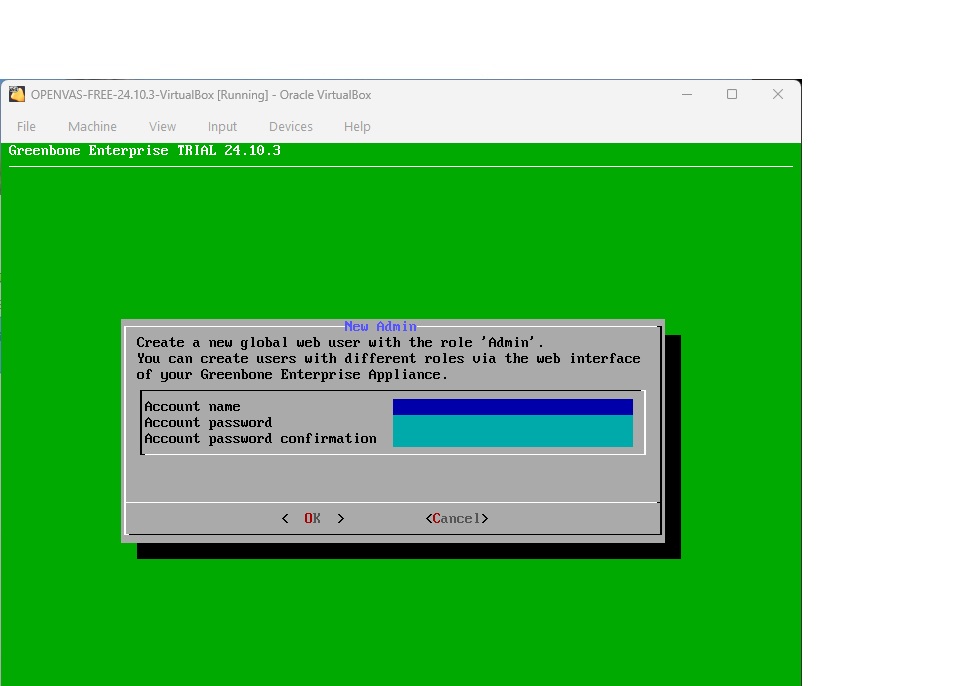
However, during the next step of the setup, when I have to define the global user, I can only type in a username; I cannot access the password fields. The tab key only goes to username, OK, Cancel. Hitting OK brings up the message “No password. Aborting.”
The behavior is the same in both VirtualBox and VMWare. I tried an older version of VirtualBox to see if that made a difference, but no go. I also tried using VirtualBox on Linux Mint, but the very same behavior persists.
Obviously, without the global user, I can’t proceed to the web interface and the scanning.
Any assistance would be greatly appreciated.
BTW, I was using Rapid7’s Nexpose for testing up to this point, but I can’t get in touch with them to upgrade my license key.
I run these NVAs for several non-profits in the area. They never find anything, as we don’t have onsite servers and the computers are not even set up to communicate with each other; just the internet. However, nonprofits get audited often and the auditors like to see this report every year.
So if I can’t get OpenVAS working, can any of you suggest an alternative?
I’m attaching a screenshot of the username creation page, but I’m sure you’re all already familiar with it.
Thanks in advance.