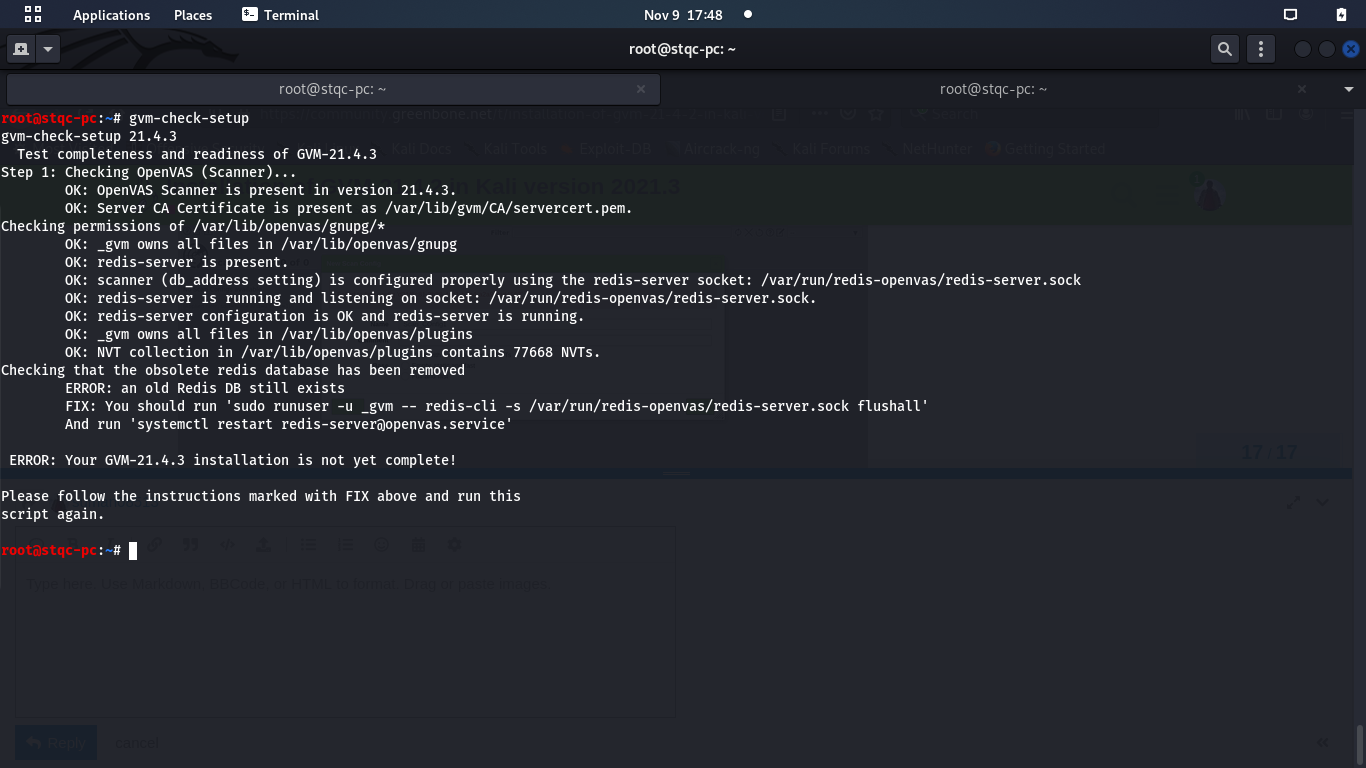
While running installation steps of GVM, I am stuck at $gvm check-setup step. After $gvm-setup step is successful, I ran $gvm-check-setup as suggested in the CLI. I am getting the following error:
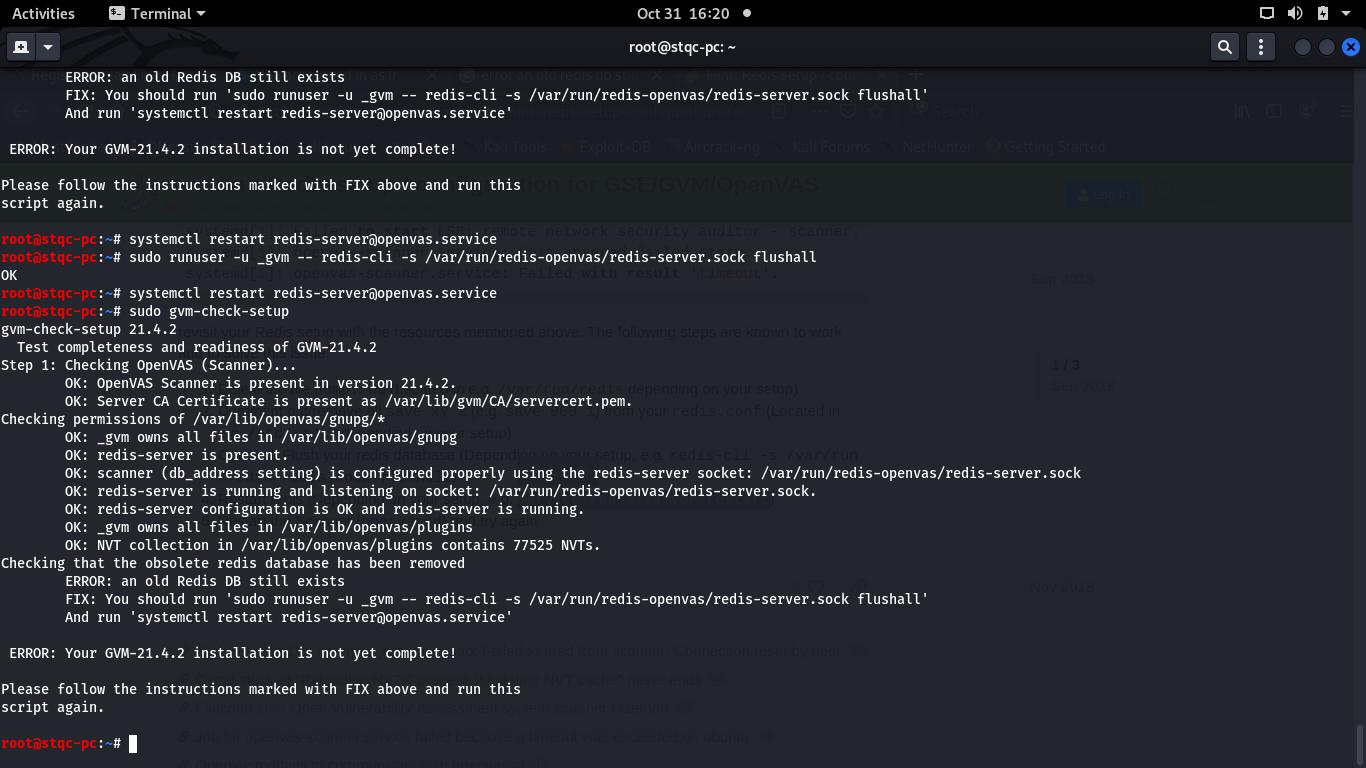
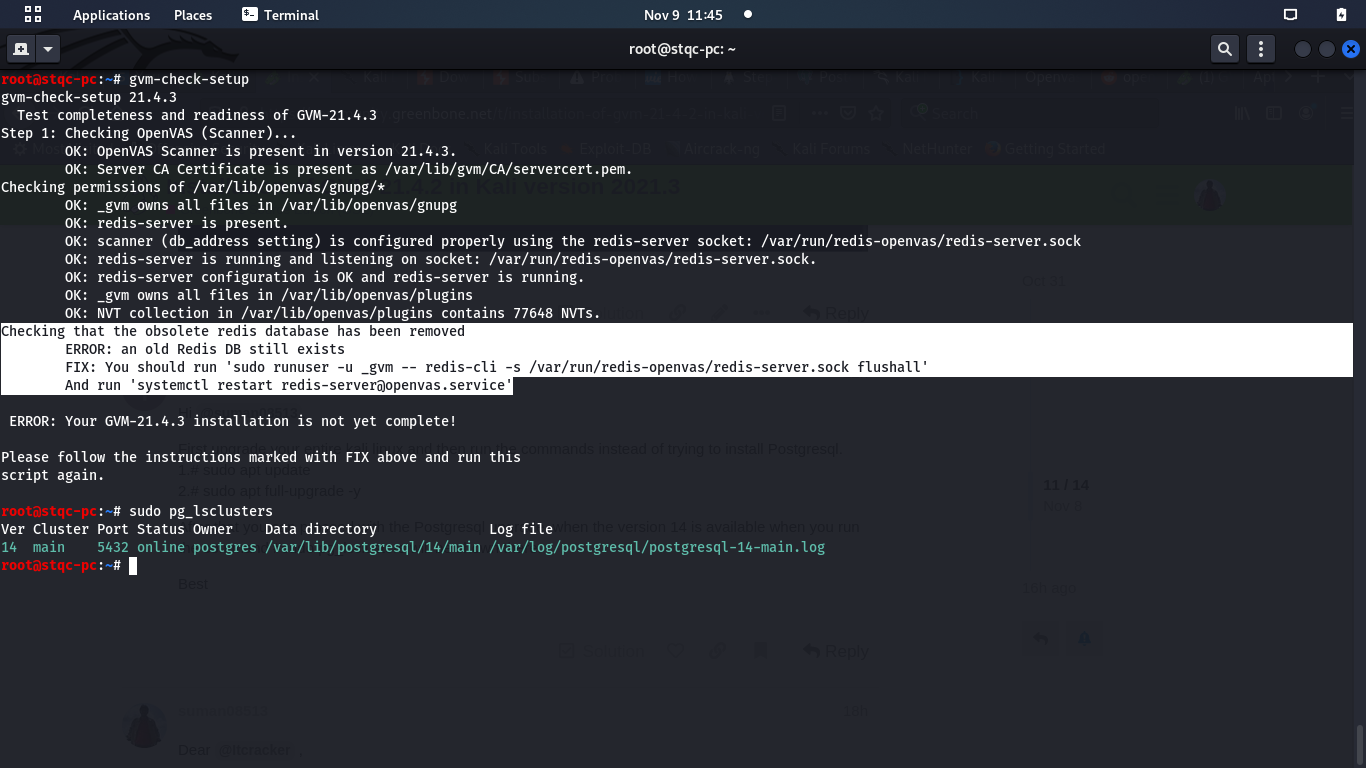
Checking that the obsolete redis database has been removed
ERROR: an old Redis DB still exists
FIX: You should run ‘sudo runuser -u _gvm – redis-cli -s /var/run/redis-openvas/redis-server.sock flushall’
And run ‘systemctl restart redis-server@openvas.service’
ERROR: Your GVM-21.4.2 installation is not yet complete!
Even after running the commands in FIX, it is still showing the same error
Follow this link to fix the ERRO Installation is not complete Solution and look for the video named how to fix Error GVM 21.4 installation is not yet complete and heck the setup again.
Dear Itcracker,
I could see 25 videos in playlist of the link shared above… In those videos I couldn’t find any video with the mentioned title… Kindly help
Dear @Itcracker ,
Thank you for the prompt reply. In your video, the error occurred at step 6 that is related to Green bone Security Assistant(GSA).
In my case the error occurred is in the Step 1 itself and my error related to Redis DB. It is showing that “Old Redis DB still exists”. I have executed the recommended commands given under Fix. Even after executing them, I am getting same error.
Please refer screenshot attached for your reference
You’re welcome. Thanks for share the screenshot.
Tell me something, are you able to start the gvm (sudo gvm-start)? Or you are working to solve the issues?
I want to know first if it is preventing you to access GSA or not.
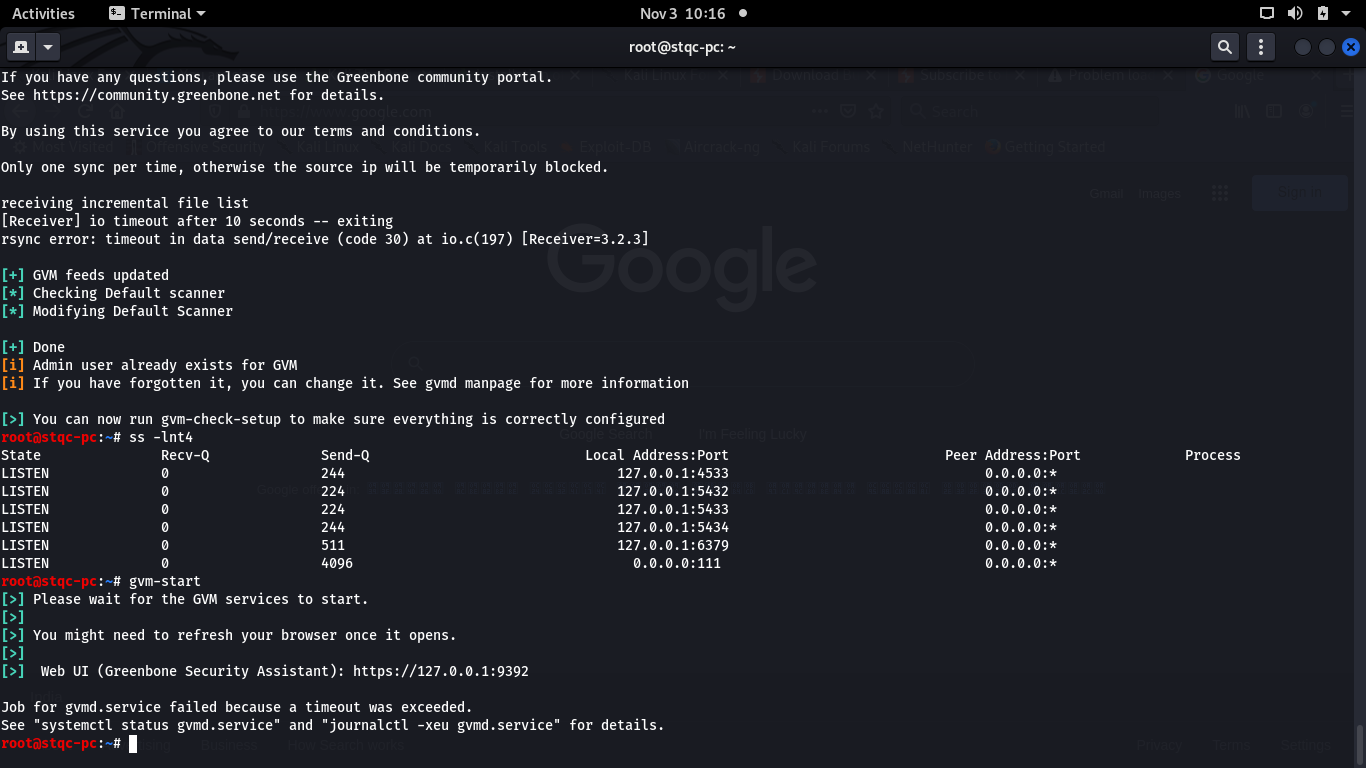
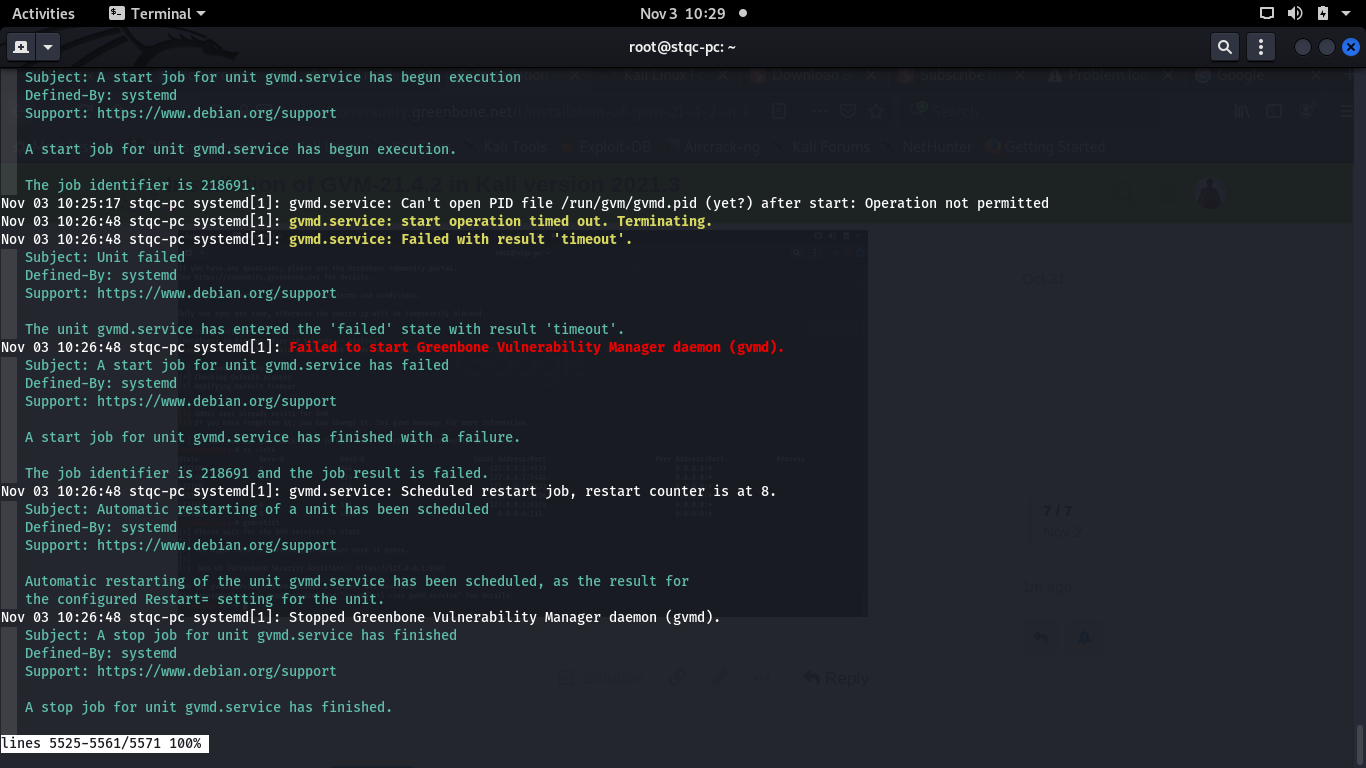
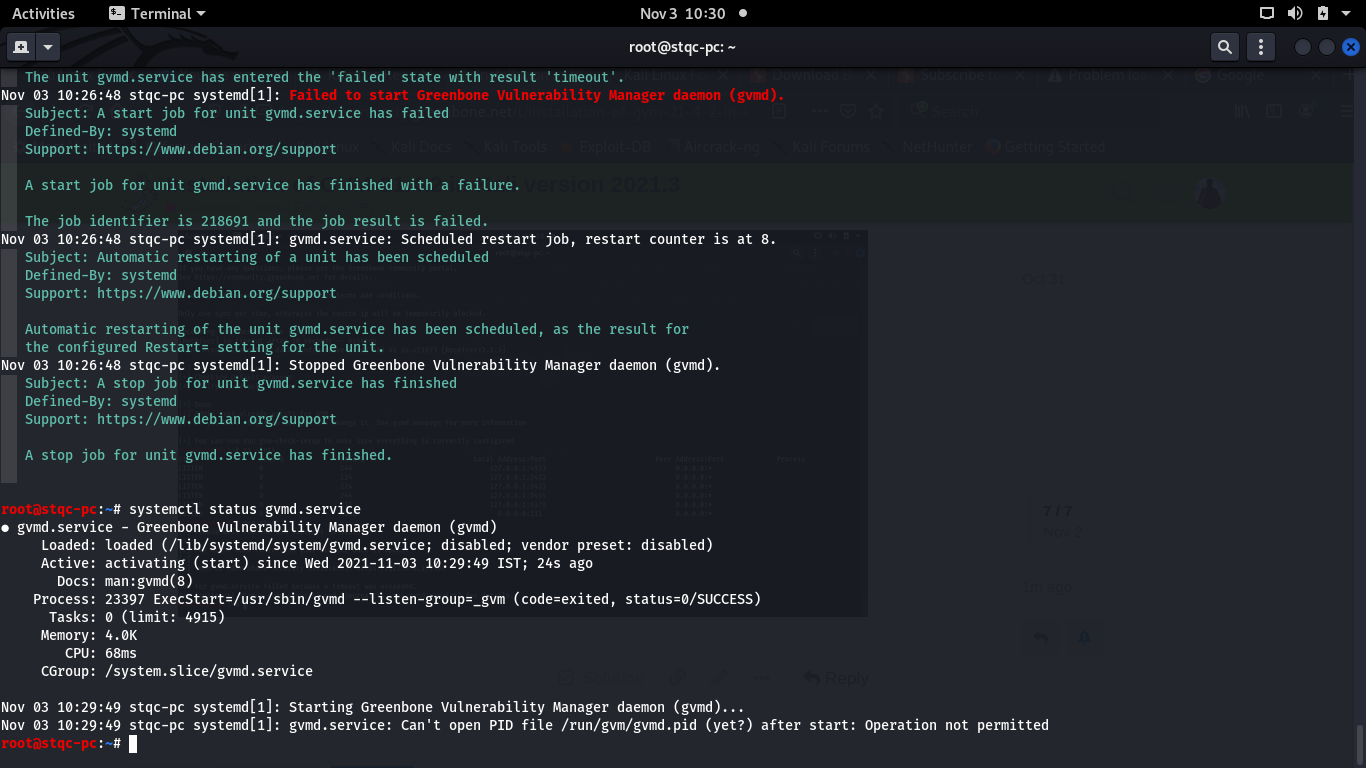
GVM-start also fails with an error" Job for gvmd.service failed because a timeout was exceeded.
See “systemctl status gvmd.service” and “journalctl -xeu gvmd.service” for details."
Sorry for my delay to reply to you. Today I faced the same issue as you and I fixed it by upgrading the Postgresql from version 13 to 14 with the four commands, but first make sure you upgrade your Kali linux to the latest version and follow the commands below:
1.# sudo pg_lsclusters - It will list the Postgressql’s available versions
2.# sudo pg_dropcluster --stop 14 main - Drop the new version
3.# sudo pg_upgradecluster 13 main - Start upgrading cluster
4.# pg_dropcluster --stop 13 main - Remove the old version
That’s it, now try to run# sudo gvm-check-setup and you’ll see that the error is gone.
Now stop gvm and start again# sudo gvm-stop and after the process is stopped, run # sudo gvm-start and you’ll be able to opens the GSA from the browser.
I have executed the above commands in sequence and tried execute $sudo gvm-check-setup then I got the same error “ERROR: an old Redis DB still exists”.
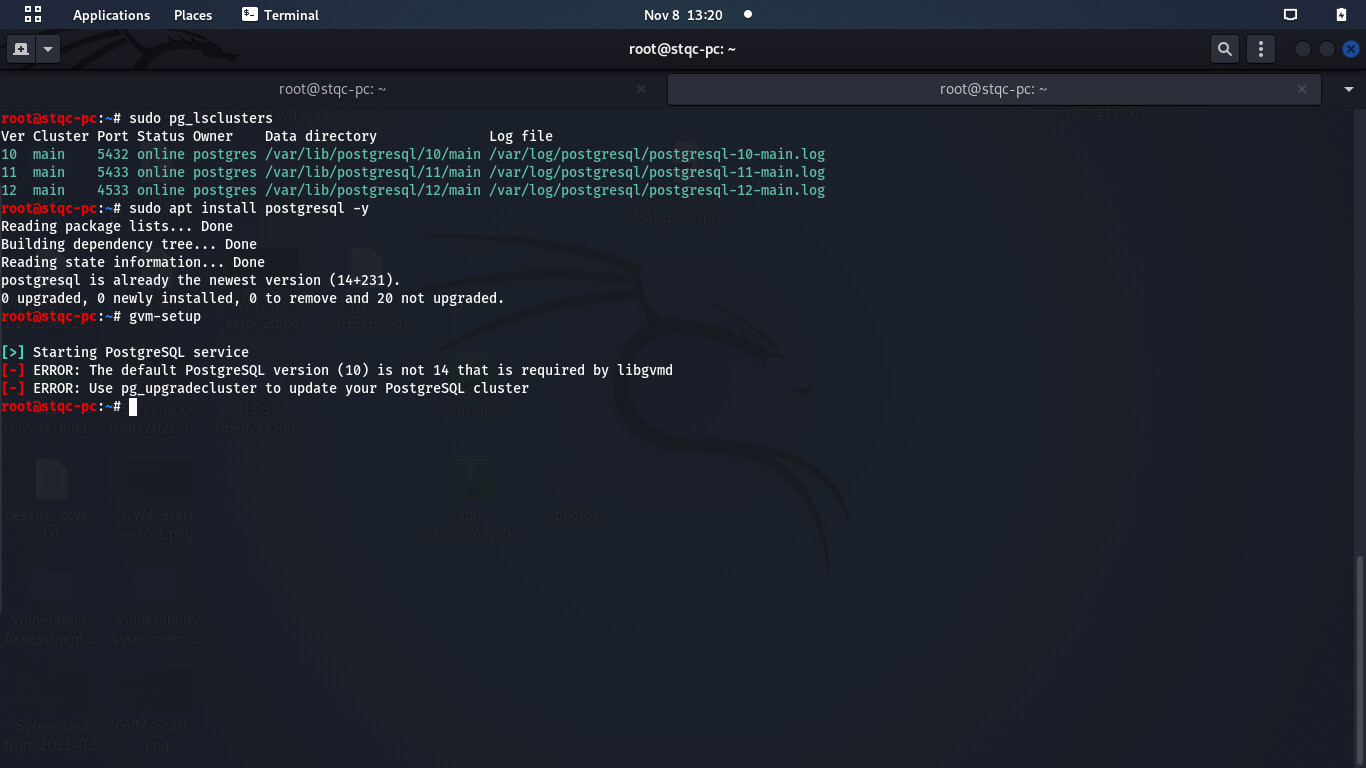
Later I saw only version 11,12,14 clusters were there as version 13 cluster was dropped. Meanwhile, I executed # sudo pg_dropcluster --stop 14 main accidentally and version 14 cluster was also dropped.
Now, cluster version 14 is not available but it is showing postgresql is already installed to the newest version.
$GVM-SETUP also giving error “[-] ERROR: The default PostgreSQL version (10) is not 14 that is required by libgvmd”.
Now I am unable to proceed further coz of “# sudo pg_dropcluster --stop 14 main” accidentally.
First upgrade your entire kali linux and then run the commands instead of trying to install Postgresql.
1.# sudo apt update
2.# sudo apt full-upgrade -y
After that you can proceed with the Postgresql upgrade, when the version 14 is available when you run the command #sudo pg_lsclusters will be shown there.
I tried to run #sudo apt update and I am getting the error “Err:3 Index of /pub/repos/apt/ kali-rolling-pgdg Release
404 Not Found [IP: 217.196.149.55 443]”
My repository is “Kali-rolling” .
/etc/apt/sources.list.d/pgdg.list consists of the following:
deb Index of /pub/repos/apt/ kali-rolling-pgdg main
I do not understand why the update is not working now.
Dear @Itcracker ,
Thank you for answering my doubts patiently.
I did the following steps:
Purge openvas and redis
purge all versions of postgresql including client versions
update and upgrade kali
install openvas
$gvm-setup
with this my issue with kali update and gvm-setup is resolved.
But, the original issue “old Redis DB still exists” with $gvm-check-setup still remain
Please refer attached screenshot. You can see postgressql cluster also version 14. As per your previous reply, you could resolve the error by upgrading Postgresql from version 13 to 14. In my case it is already in version 14 and I am facing the same issue.
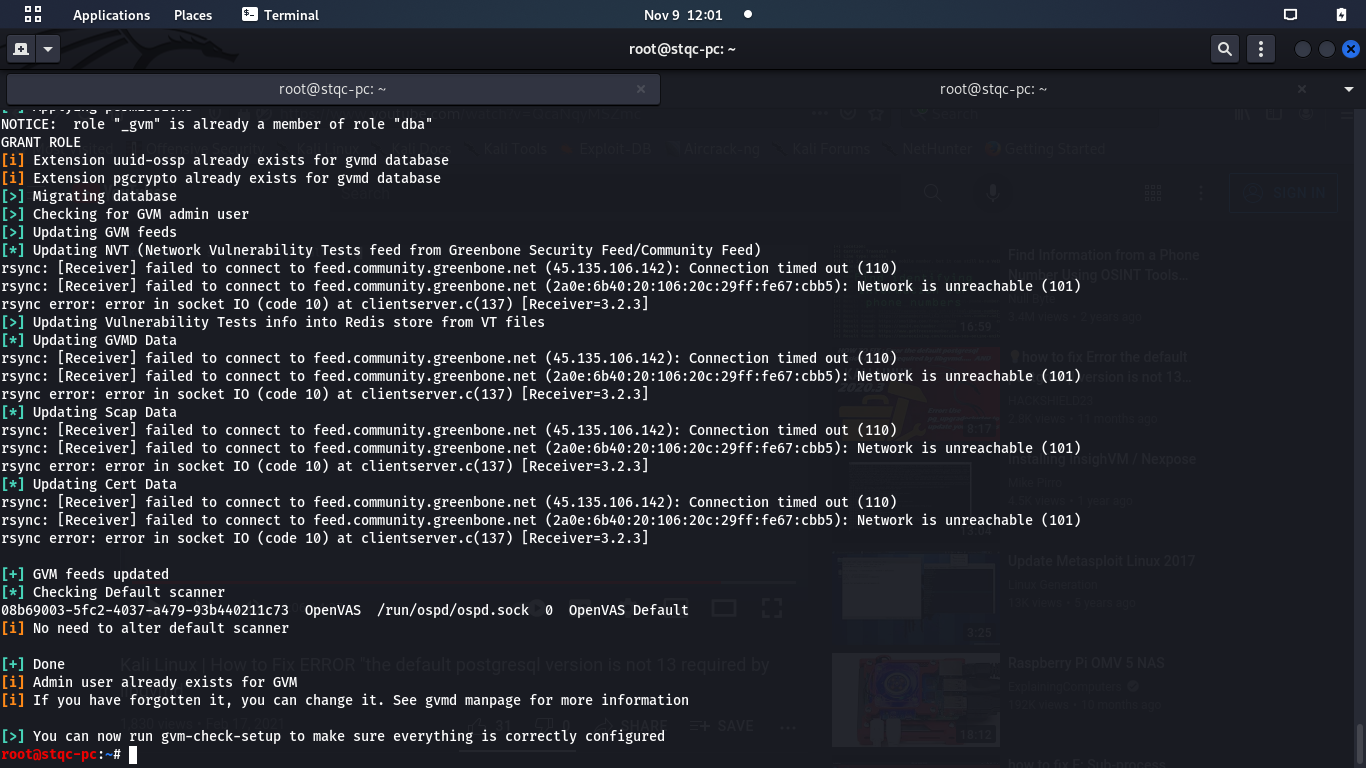
Well done. I’m not sure if I understand what you want to do, but before that, please go to SecInfo and see if the SCAPs (NVTs, CVE, CPS, etc) are available or you’re getting SCAP data base not found error, and also check the Feed Status if it is showing Update in progress message or not.
Dear @Itcracker ,
I want to scan a host. After the recent Kali Linux update, GVM started giving new errors. Earlier I was able to use it without issues.
Thank you so much for taking out your time to help me out. after the feed update, it took sometime and now I am able to proceed with the scan. But, $gvm-check-setup still gives “old Redis DB still exists” error and it says “ERROR: Your GVM-21.4.3 installation is not yet complete!”. I would try to dig more into it.