Hi there,
I’m running a docker container of GVM after following Workflows - Greenbone Community Documentation and am now trying to add a remote scanner.
I’ve created the docker-compose.yml and it’s up and running (although it looks like I might have some more tweaking to do):
# docker ps
CONTAINER ID IMAGE COMMAND CREATED STATUS PORTS NAMES
4f6726c47586 ``registry.community.greenbone.net/community/ospd-openvas:stable`` “/usr/bin/tini – /u…” 5 minutes ago Up 5 seconds 0.0.0.0:9390->9390/tcp, [::]:9390->9390/tcp openvas-scanner
6bea762202df redis:7 “docker-entrypoint.s…” 5 minutes ago Up 5 minutes 6379/tcp openvas-redis
But I’ve gone into the GVM UI > Configuration > Scanners and I’m not seeing the normal “+” or a similar indicator to add a remote scanner.
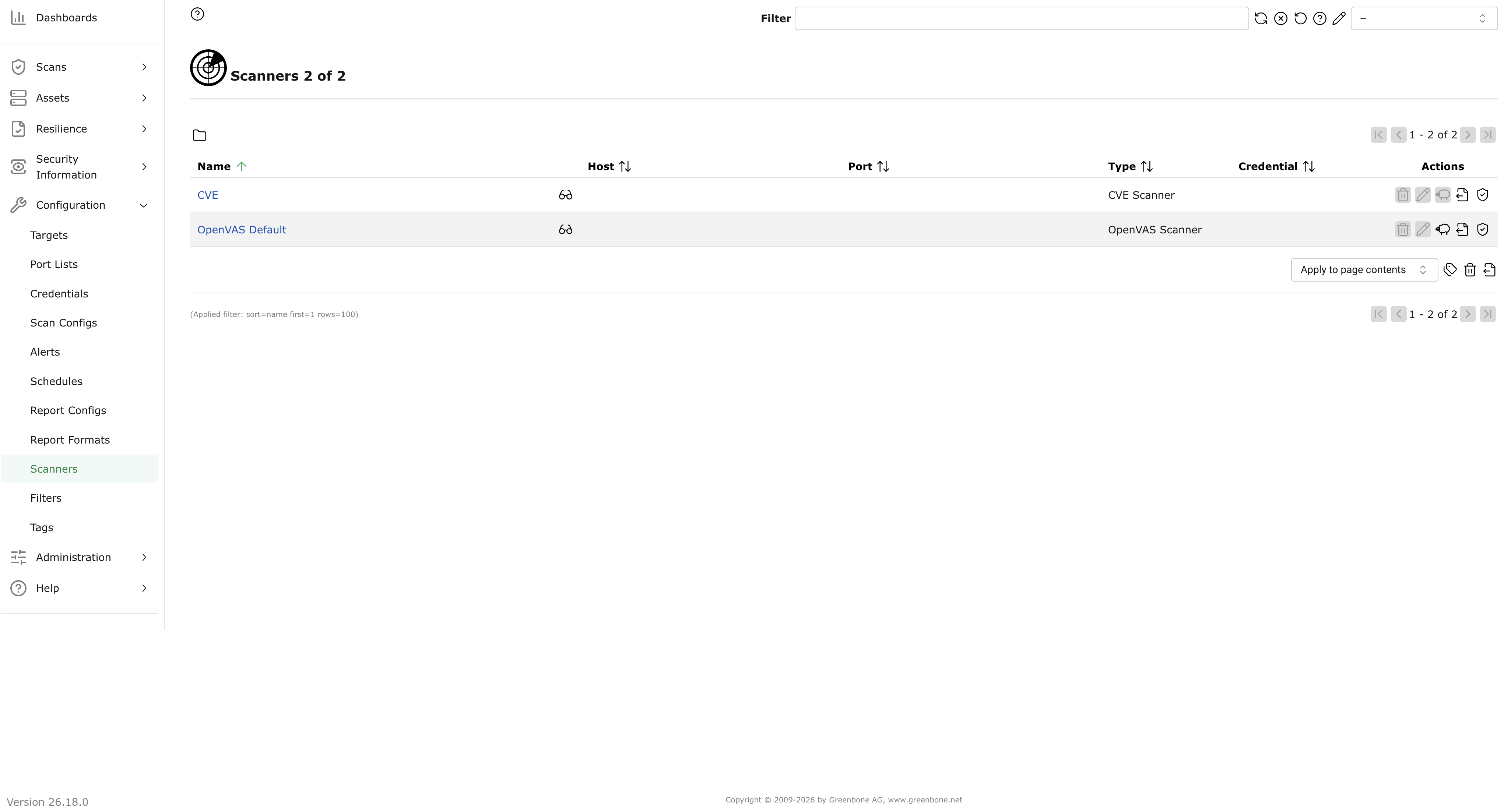
Sorry for the stupid question but how do you do this?
Thank you!