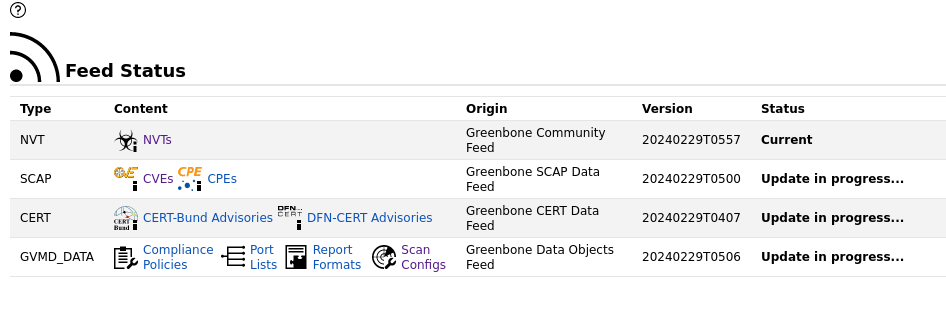
ok cool thanks. i have run this.
┌──(kali㉿kali)-[~]
└─$ sudo gvm-setup
[sudo] password for kali:
Sorry, try again.
[sudo] password for kali:

[>] Starting PostgreSQL service

[>] Creating GVM's certificate files

[>] Creating PostgreSQL database
[i] User _gvm already exists in PostgreSQL

[*] Creating database
[i] Role DBA already exists in PostgreSQL

[*] Applying permissions
NOTICE:  role "_gvm" has already been granted membership in role "dba" by role "postgres"
GRANT ROLE

[*] Creating extension uuid-ossp
CREATE EXTENSION

[*] Creating extension pgcrypto
CREATE EXTENSION

[*] Creating extension pg-gvm
CREATE EXTENSION
[>] Migrating database
[>] Checking for GVM admin user
[*] Creating user admin for gvm
[*] Please note the generated admin password
[*] User created with password '7eb26230-3364-4ea0-b515-70f1ef875a61'.
[*] Configure Feed Import Owner
[*] Define Feed Import Owner
[*] Update GVM feeds
Running as root. Switching to user '_gvm' and group '_gvm'.
Trying to acquire lock on /var/lib/openvas/feed-update.lock
Acquired lock on /var/lib/openvas/feed-update.lock
⠋ Downloading Notus files from rsync://feed.community.greenbone.net/community/vulnerability-feed/22.04/vt-data/notus/ to /var/lib/notus
⠴ Downloading NASL files from rsync://feed.community.greenbone.net/community/vulnerability-feed/22.04/vt-data/nasl/ to /var/lib/openvas/plugins
Releasing lock on /var/lib/openvas/feed-update.lock

Trying to acquire lock on /var/lib/gvm/feed-update.lock
Acquired lock on /var/lib/gvm/feed-update.lock
⠙ Downloading SCAP data from rsync://feed.community.greenbone.net/community/vulnerability-feed/22.04/scap-data/ to /var/lib/gvm/scap-data
⠇ Downloading CERT-Bund data from rsync://feed.community.greenbone.net/community/vulnerability-feed/22.04/cert-data/ to /var/lib/gvm/cert-data
⠦ Downloading gvmd data from rsync://feed.community.greenbone.net/community/data-feed/22.04/ to /var/lib/gvm/data-objects/gvmd/22.04
Releasing lock on /var/lib/gvm/feed-update.lock

[*] Checking Default scanner
[*] Modifying Default Scanner
Scanner modified.

[+] Done
[*] Please note the password for the admin user
[*] User created with password '7eb262000-3364-4ea0-b51ddd5-70f1ef875a61'.

[>] You can now run gvm-check-setup to make sure everything is correctly configured
Will I now have to run sudo systemctl start gvmd?